QR code payment (rear-seat tablet)
You can pay using various QR code payment apps via the GROWTH rear-seat tablet.
You can use this service not only by requesting a ride through the S.RIDE app, but also by hailing a cab on the street.
Please note that you cannot use a combination of Taxi ticket・Welfare taxi voucher・Regional common coupon for a split payment.
For payments made through the app, please check the QRコード決済(アプリ) or Online Payment options.
Please consider using S.RIDEWALLET
With the S.RIDE WALLET, you can make seamless payments even while your vehicle is in motion.
For QR code payments (using the rear-seat tablet), you must pay when you exit the vehicle.
List of Supported QR Code Payment Methods
The following QR code payment apps are available. For details, please see the links below. (as of July 18, 2023)
WeChat Pay
How to use
Upon arrival at your destination, when the rear seat tablet screen changes as shown below during payment, inform the driver that you will pay by QR code and press "Activate Camera" on the rear seat tablet.
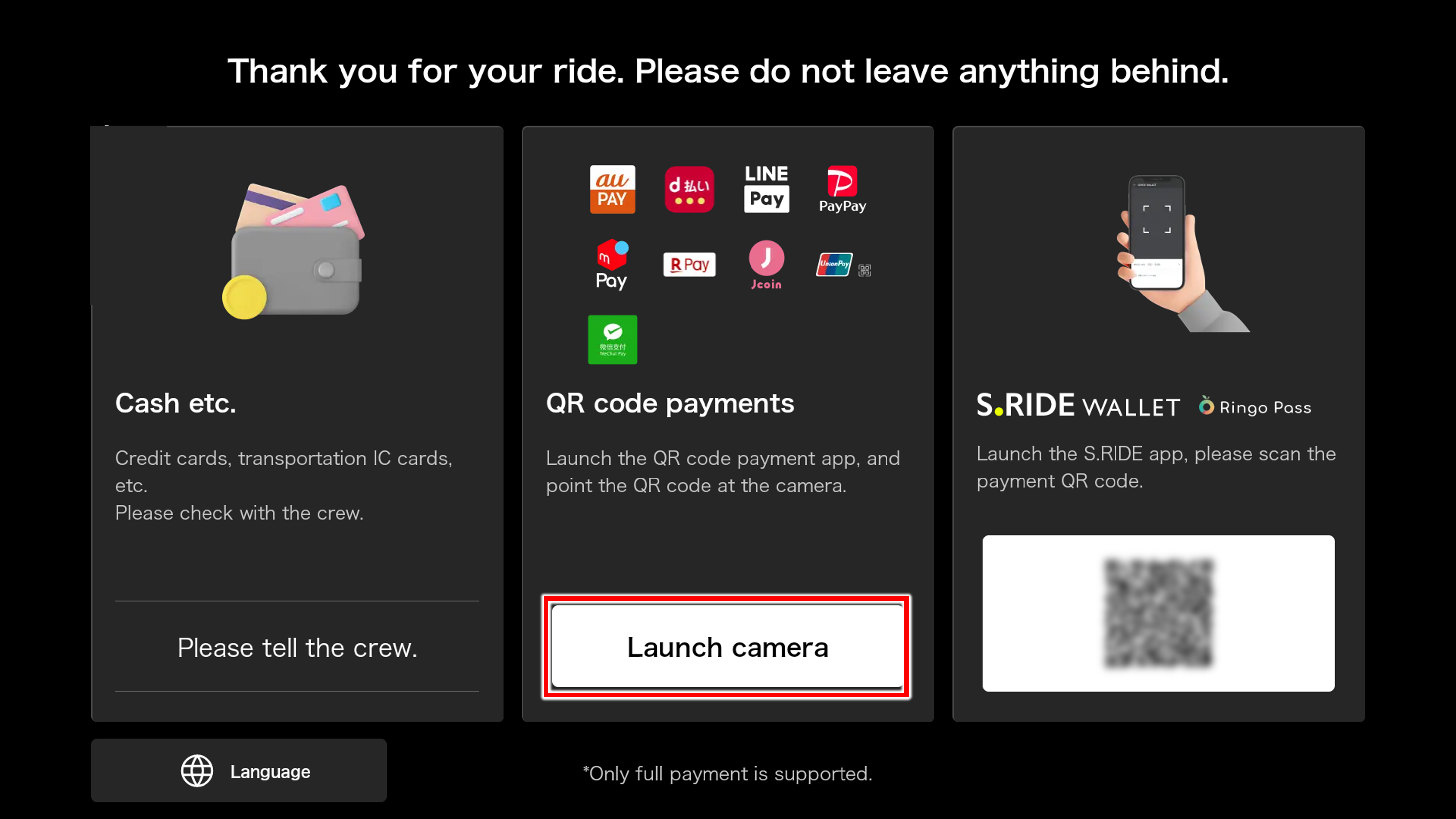
2. Once the camera on the rear seat tablet is activated, point your smartphone screen towards the camera in the bottom right corner of the tablet, and have it scan the QR code from your chosen QR code payment app.
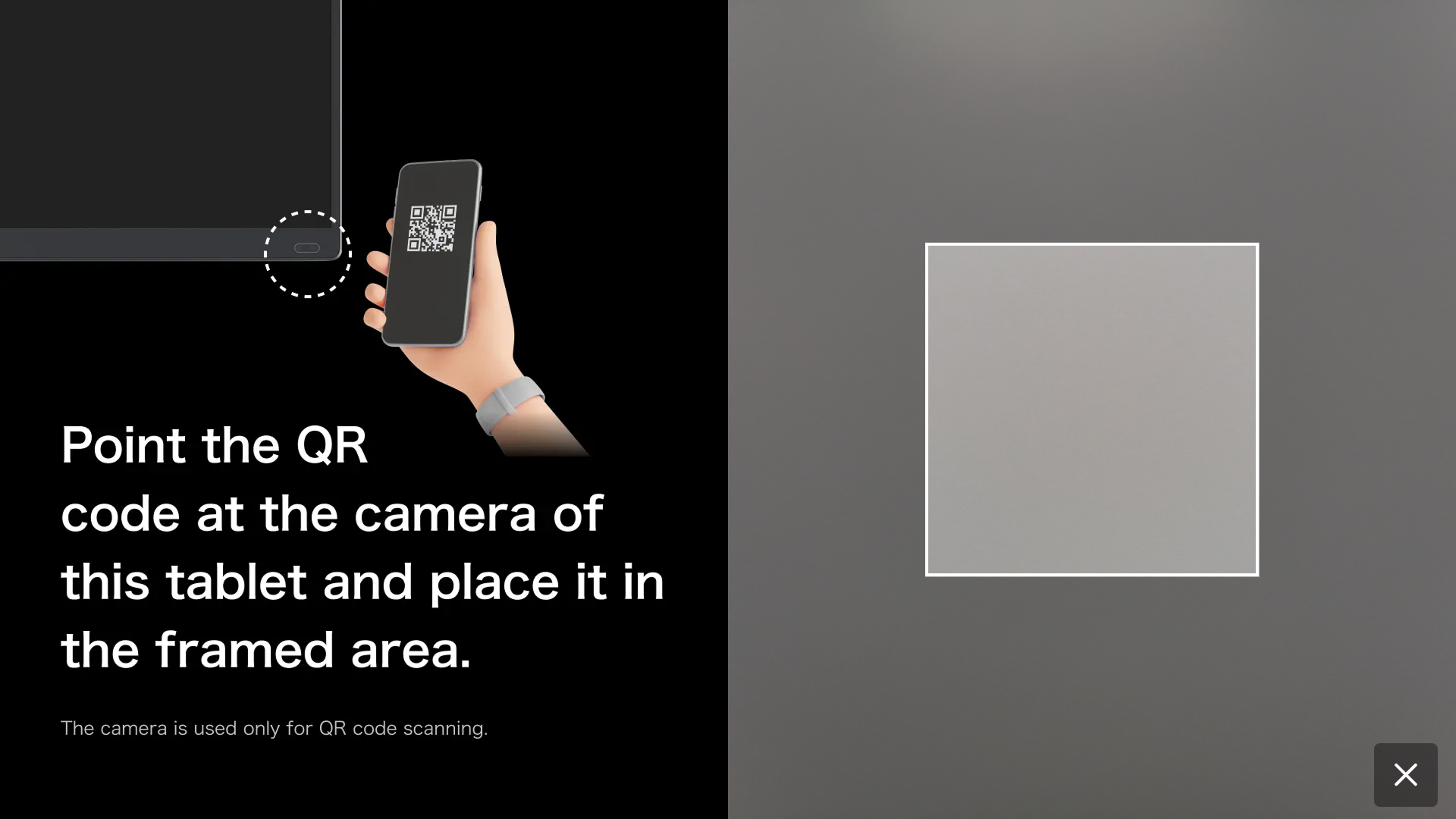
Note 1: This is not a scan-to-pay method where you scan a QR code. Instead, the camera on the taxi's rear seat tablet reads the QR code displayed in your smartphone app.
Note 2: The app you need to open is not the S.RIDE app.
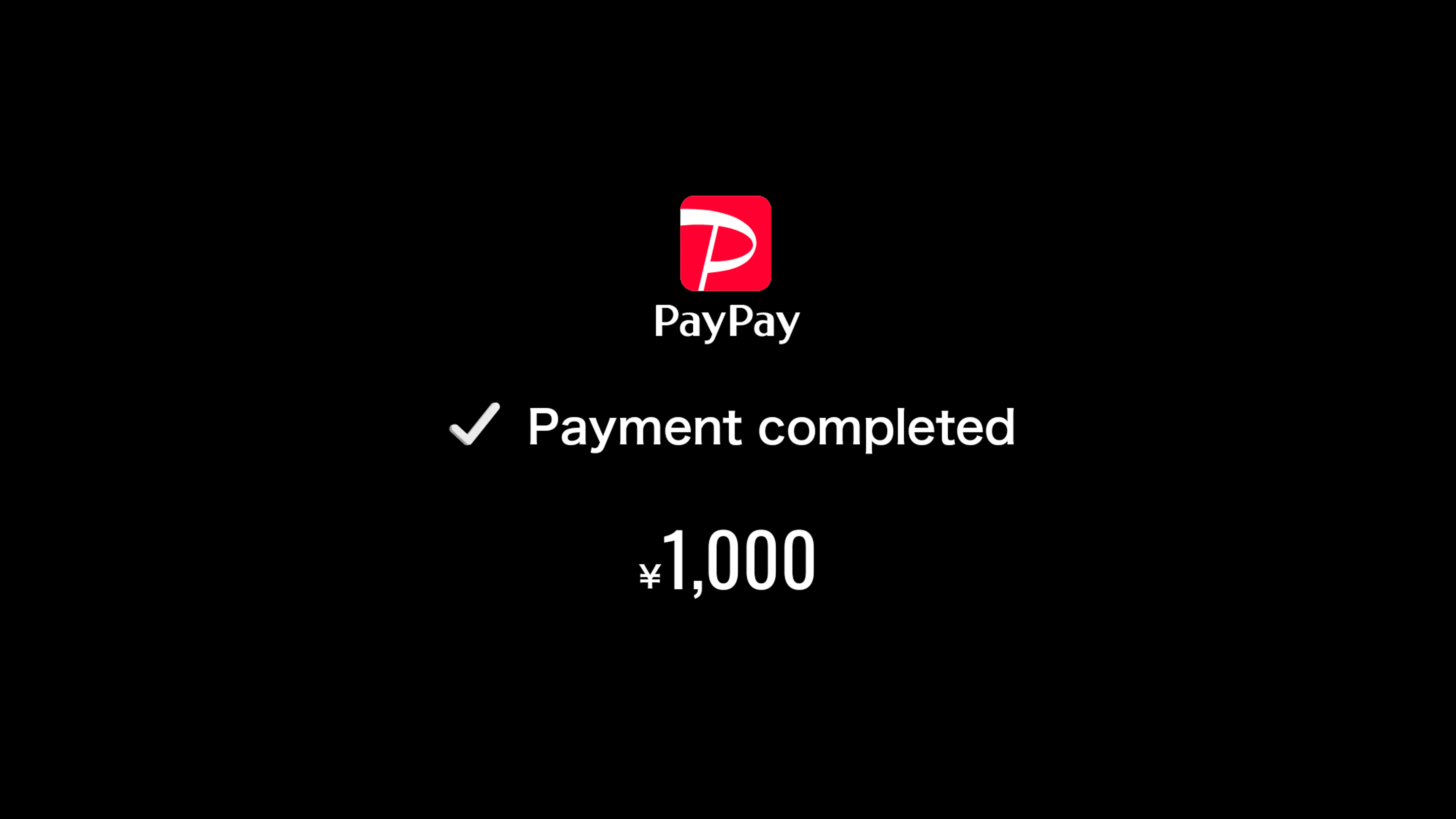
3. The payment is completed when the driver processes the "QR code payment" on the front seat tablet (the image below shows an example of a 1,000 yen payment completed using PayPay).
Important notes:
Please ensure you have sufficient funds in your QR code payment account before making a purchase. If the transaction cannot be completed via QR code payment, you will be asked to pay using an alternative payment method.
We are unable to issue electronic receipts for rides where you do not specify a destination. If you need a receipt, please be sure to request a paper receipt from the driver.
When requesting a ride via the S.RIDE app (Ride (Call Now))
Please make sure your payment method is set to in-car payment before placing your order.
In the "Call Now" (Instant Dispatch) Vehicle category, you cannot select in-car payment for "Taxi RS."
Orders for Reservation dispatch and airport flat rate fares can only be paid for online, so you cannot select this option.
Some taxi companies that use multiple ride-hailing apps may not have GROWTH rear-seat tablets installed, but instead use rear-seat tablets from other providers. In such cases, please contact the taxi company or driver you are riding with to inquire about the types of QR code payments available.
(Reference)